Category: Technology
All things technological
New Google search better faster
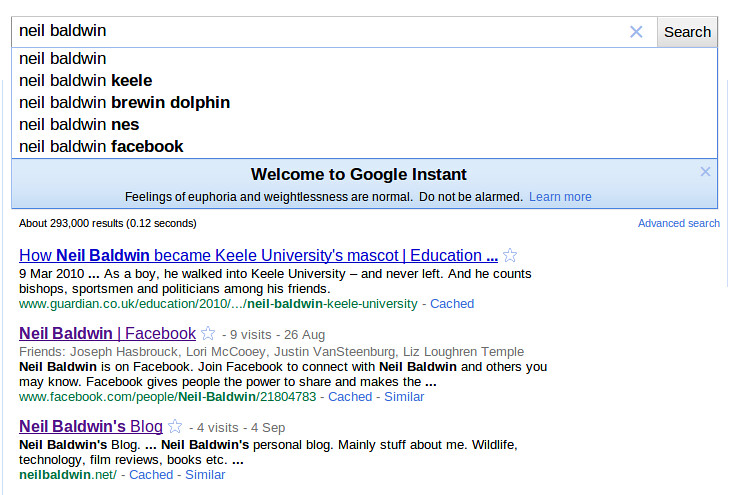
Google have updated their search page, now when you start a search you not not have to press the enter key or button to do the search, the results appear below the search box as you type. I suspect that it waits for a slight pause, the displays, as you type more stuff the search results get updated. This is not the suggested search terms that they have been providing for some time, it is much much better than that. Here is a screen shot of the thing in action.
This is will probably have the effect of shaking up the SEO market, as the way websites will appear at the top of the search results will change some what. You will need far few words before the results appear!
The adwords market may also be affected, not sure how though. The ads appear as you type also, this means that for example if you type “oil” you get ads for oil spill kits, (BP might be responsible for that!), but then if you add the work “tank” the ads change and you get oil tanks adverts. You can see how this is different the user has seen two sets of adverts, and one of the set was for the wrong thing, but the user may have eye balled them.
Blackberry wordpress client
I am writing this blog entry from my blackberry, using the wordpress mobile app. Previously I have always used the email to blog feature of word press, but I found when I did it from my blackberry it stripped out paragraphs, so I had to spend time fixing the text afterwards.
You can do most of the stuff you would need to do, I.e. You can format the text, insert media from the phone, and even add location information. Drafts can be saved as you go along, so it seems quite comprehensive.
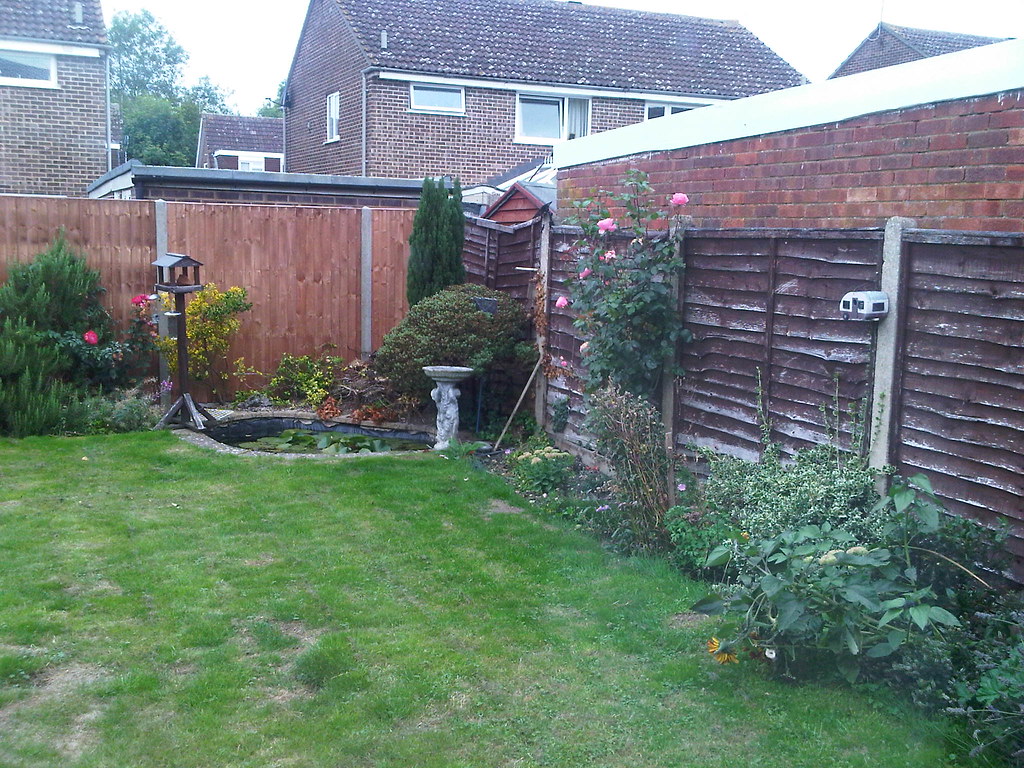
I am going to try to use it from now on and see how I get on. The picture below is from my phone just to prove it works ok.
How to tether you blackberry to your windows 7 machine
Stuck at Belfast City I thought I would have one last go at this. As you can tell by this post I was successful.
From this page here are the important bits.
1. Pair your blackberry to your windows machine, via bluetooth.
2. Set up an Internet APN.
Click Start > Settings > Control Panel
Double-click Phone and Modem Options
In the Phone and Modem Options window, click the Modems tab
Select Standard Modem and click Properties
Click Change Settings
In the Standard Modem Properties window, click the Advanced tab
In the Extra initialization commands field, type the following under CODE:
at+cgdcont=1,”IP”,”internet”
Click OK.
In the Phone and Modem Options window, click OK.
3. To configure dial-up networking, complete the procedure that is appropriate to the operating system you are using:
Click Start
Select Connect To
Click Setup a connection or network
Click Setup a dialup connection
In the Dial-up phone number field type *99#
Type the user name web and password web
In the Connection Name field type BlackBerry
Click Dialing Rules
Make sure the profile created in Task 2 has been selected, and then clickOK
Select Connect to establish an internet connection.
Lost productivity

How many hours were lost today in offices around the world. The google home page had a pacman game to celebrate the 30 year anniversary of the video game. If you want to try it go to the google home page, but remember it is only for today.
Google TV
They have announced it. The big announcement at Google I/O is Google TV, check out the official website http://www.google.com/tv/
Watch the video here Google TV announcement
Volcanic ash airplane tracker
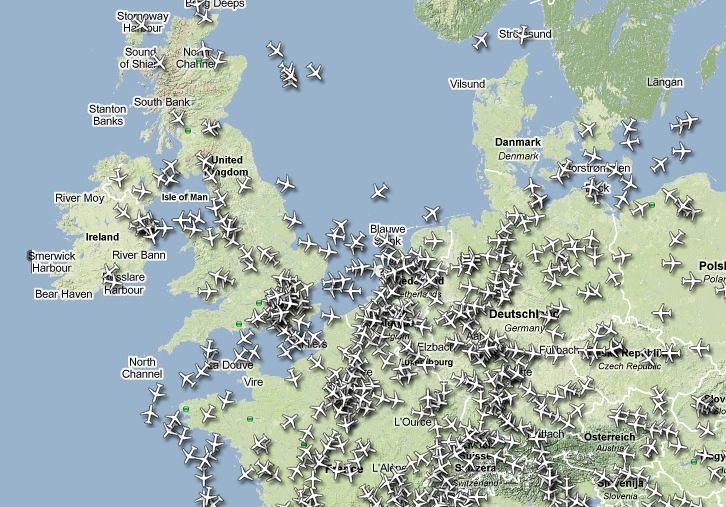
If you want to see live airplane traffic check this out http://www.radarvirtuel.com
It shows the current position and status of planes over Europe. You can also add labels, see the current position of the volcanix ash cloud, and filter out any of the aircraft based on many parameters.
I regularly fly to Northern Ireland so I use it to check what it happening to those flight paths only, useful to see if the incoming plane is on time.
W H Smith anti virus
Back to Luton airport for a trip to Belfast. Thought I would have breakfast at the airport, this time, as I noticed that Pret does porridge. Turns out to be good porridge, I guess because it has been on the heat for a while the oats really get a chance to expand, so the whole thing is much more creamy. I opted for a dollop of honey for £1.99, which means they are making big margins on materials. I get a kg of Tesco value oats for less than a pound, and all you need for a portion of porridge is half a mug full. A bag lasts me a couple of months.
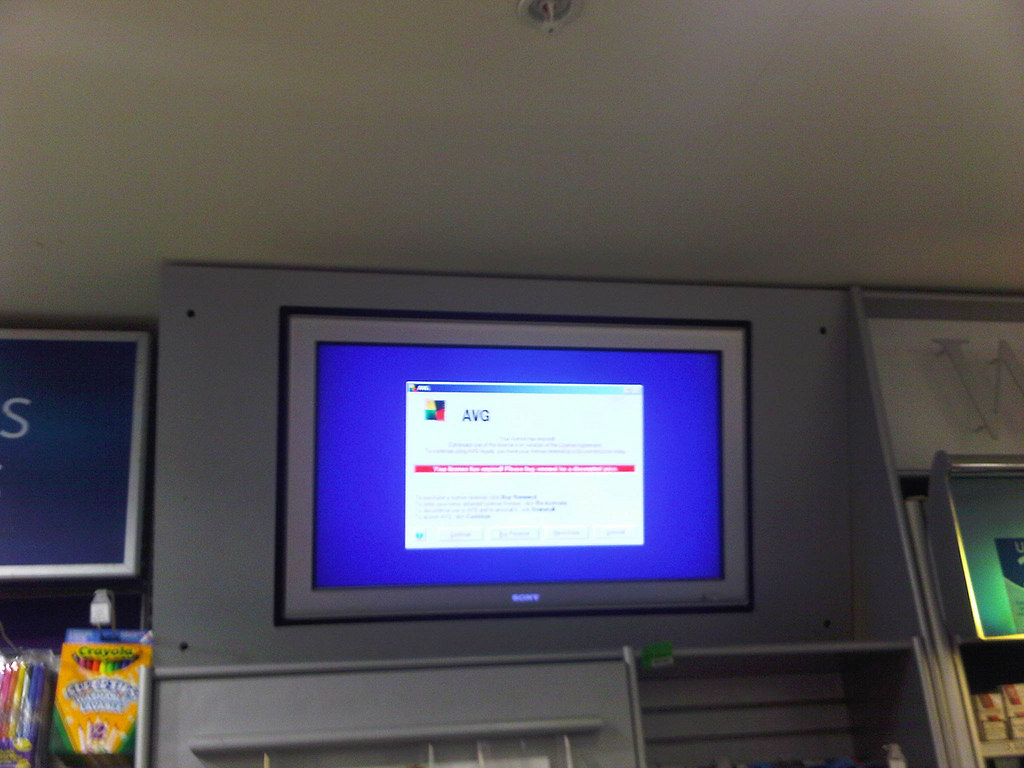
On the way in I stopped off in W H Smiths to get a paper, and noticed that the advertising screen above the tills was showing and error message, as I like to collect public error messages I thought I would share it with you all. It is an AVG anti virus message complaining that the license had run out.
Anyway the plane is about to push off and so am I.
Inkscape

Helen is going to have her 40th birthday party this year, and we have decided have a party to celebrate at a local golf club. I have been designing the invite. We needed a good picture for the front of the card. I used a picture that Marshall drew for Helen for her 21st birthday. First I scanned it then I used Inkscape an opensource vector graphics drawing package t trace round all the bits and colour it in. It was surprisingly easy to do once I got started and had figured out how to do all the bits I needed.
Advert for chrome browser in the Daily Telegraph

Things are hotting up. After the IE hot fix and the German and French government advice not to use IE. Google takes the chance to gather some momentum for Chrome.